AUTODESK MAYA TRAINING
AutoDesk Maya Training

Hands-on Classroom Workshop

Moderate

Basic computer skills & Autodesk Maya installed (trial or licensed version

Course Overview

Autodesk Maya is an industry-leading 3D modeling, animation, visual effects, and rendering software widely used in film, animation, games, advertising, and product visualization.
This training provides a structured, hands-on introduction to Autodesk Maya, guiding participants from basic concepts to practical production workflows used by professionals in the creative industry.

This instructor-led training focuses on practical usage of Autodesk Maya for 3D content creation. Participants will learn essential tools and techniques for modeling, texturing, animation, and rendering through guided exercises and real-world examples.


Training Outcomes

At the end of this Adobe In Design Training, participants will be able to:

What You Will Get?

Hands-on Learning, Taught by Expert

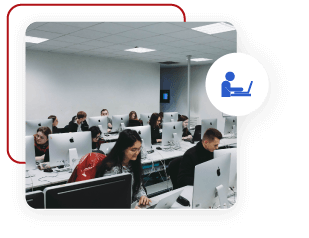
High-quality classrooms that utilize hands-on learning training, intentional spaces, provided with computer and WiFi.

Personalised Mentorship

Get a knowledgeable mentor who guides your learning and is focused on answering your questions, motivating you and keeping you on track.

Continue to Learn with Online Learning

1 Year Access to LMS with step by step videos & guidebook exclusively produced by MU DOT MY PLT.

After Training Support

Get 3 months free email support after your training. Email to our trainer anytime.

Read more
Certificate of Completion Provided

Participants will receive a Certificate of Completion on the last day of training.

Follow Up Training

Every participant entitles for 1 free follow up training. Follow up training will be scheduled in the future. This will help you to catch up your learning.

Read more

Register Now / Get A Quote Now / Request Brochure

In-Person/Virtual Training

Clients can attend the in-person training at our computer lab or join the virtual training. Pay per person.

In-House Training​

Conduct this training at your office anytime, anywhere. Maximum attendance of 25 pax. Just pay per day!

Please fill out the inquiry form below for official quotes and brochures. Check out our FAQ section.
HRD Corp Claimable
MOF No: 357-02240271

Adobe InDesign Training

Adobe InDesign Training

Hands-on Classroom Workshop

Easy

Suitable for all

Training Overview

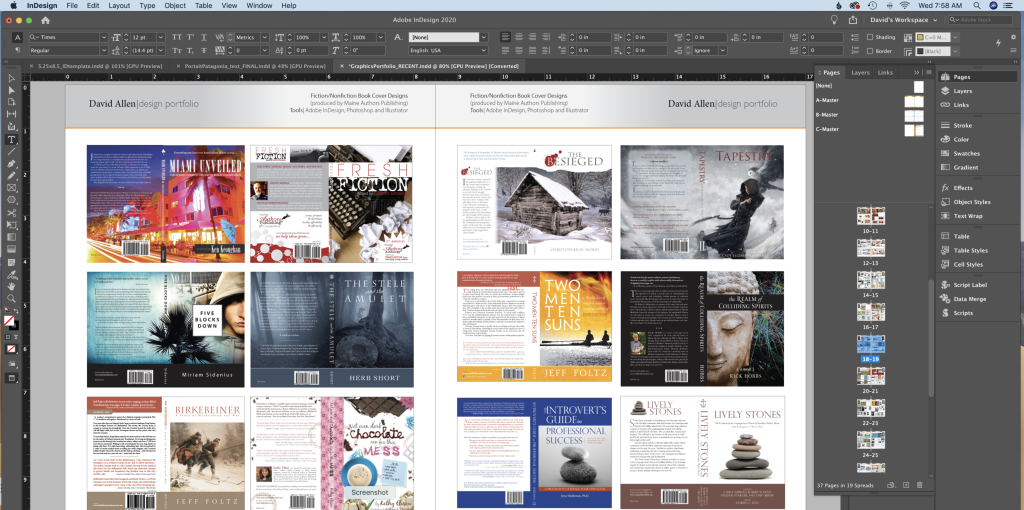
This Adobe InDesign training programme provides participants with practical knowledge and hands-on experience in creating professional print and digital publications. The course covers essential tools, layout techniques, typography, image handling, and document output workflows using Adobe InDesign.

Participants will learn how to design structured, visually consistent multi-page documents such as brochures, reports, newsletters, and marketing materials. Emphasis is placed on industry best practices, efficient workflows, and preparing files correctly for both print and digital distribution.

By the end of the training, participants will be able to confidently produce professional-quality layouts that meet organisational and industry standards.

Training Outcomes

At the end of this UI/UX Using Figma Training, participants will be able to:

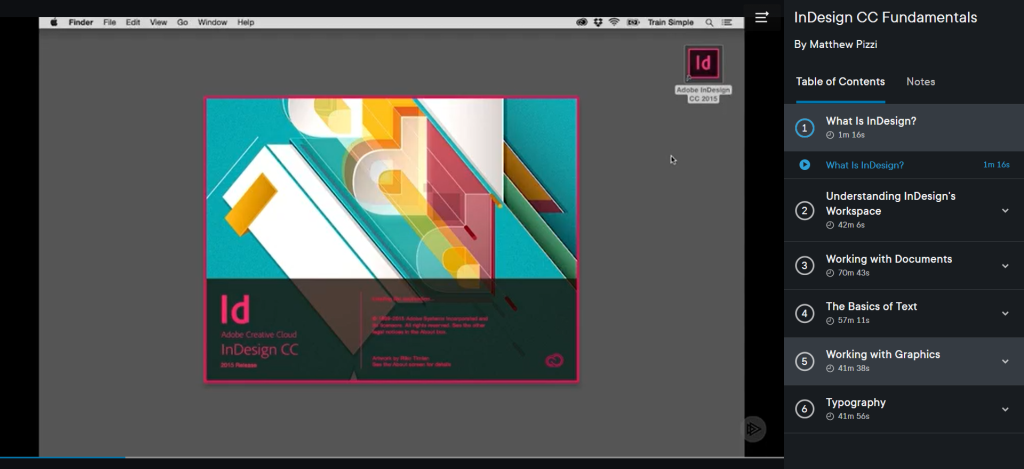
Training Preview

What You Will Get?

Hands-on Learning, Taught by Expert

High-quality classrooms that utilize hands-on learning training, intentional spaces, provided with computer and WiFi.

Personalised Mentorship

Get a knowledgeable mentor who guides your learning and is focused on answering your questions, motivating you and keeping you on track.

Continue to Learn with Online Learning

1 Year Access to LMS with step by step videos & guidebook exclusively produced by MU DOT MY PLT.

After Training Support

Get 3 months free email support after your training. Email to our trainer anytime.

Read more

Certificate of Completion Provided

Participants will receive a Certificate of Completion on the last day of training.

Follow Up Training

Every participant entitles for 1 free follow up training. Follow up training will be scheduled in the future. This will help you to catch up your learning.

Read more

Register Now / Get A Quote Now / Request Brochure

In-Person/Virtual Training

Clients can attend the in-person training at our computer lab or join the virtual training. Pay per person.

In-House Training​

Conduct this training at your office anytime, anywhere. Maximum attendance of 25 pax. Just pay per day!

Please fill out the inquiry form below for official quotes and brochures. Check out our FAQ section.
HRD Corp Claimable
MOF No: 357-02240271

Do we get a certification after end of the training?

Do we get a certification after end of the training?

Yes. Certificate of Achievement will be provided for those who successfully completed their training. Besides, we also offer professional training with certifications bodies such as Google and Microsoft which certificates will be issued by them.

Where are the public training conducted?

Where are the public training conducted?

Public Training will be conducted at MU DOT MY PLT, B-10-6, Level 10, Tower B, Megan Avenue 2, No 12 Jalan Yap Kwan Seng 50450 Kuala Lumpur. 

Training kits, learning tools, meals and refreshments will be provided during the training.

Training Rescheduling

Training Rescheduling

MU DOT MY PLT reserves the right to cancel or reschedule a class at any time due to the insufficient participant or trainer unavailability or if the trainer could not attend due to unforeseen circumstances. 

The cost of the course will be rescheduled.

How many participants I should send for public training?​

How many participants I should send for public training?​

For Public training, there’s no minimum and maximum participants. You can attend the training for yourself and you are encouraged to bring your colleagues to join the public training.

The price will be based on per person basis.

Can I bring my own device?

Can I bring my own device?

Training kits and learning tools will be provided for Public Training participants. However, you are allowed to bring your own device if you want to. 

Please email us before the training if you need to bring your own device because you may need to install software on your device.

Can I pay on the first day of training (Public Training)?

Can I pay on the first day of training (Public Training)?

Our training has limited seats. Registration is on a first-come-first-serve basis.

Therefore, full payment should be completed 3 days before the commencement of training. We offer various payment methods. Therefore, we believe there is no reason to accept walk-in payments. This will make our meal arrangements and training planning smoother.

Pre-requisite

HTML, CSS, JS. Not Mandatory but having this skills will expedite your  learning.

If you do not have any coding skills and willing to learn it, you can join our HTML5 & CSS3 training.

What is Public Training?

Clients can attend the training at our computer lab based on the given date. Pay per person.

Date: Refer to our training calendar

Venue: Computer Lab, MU DOT MY PLT (nearby KLCC)

Syllabus: Predefined course contents

What is In-House Training?

Conduct the training at your office anytime, anywhere. Just pay per day!

  • Up to 25 participants only

  • Training date can be chosen by your company

  • Training content can be personalized